
When a call is received to your phone, you can transfer it to another extension using the Forward Call button.
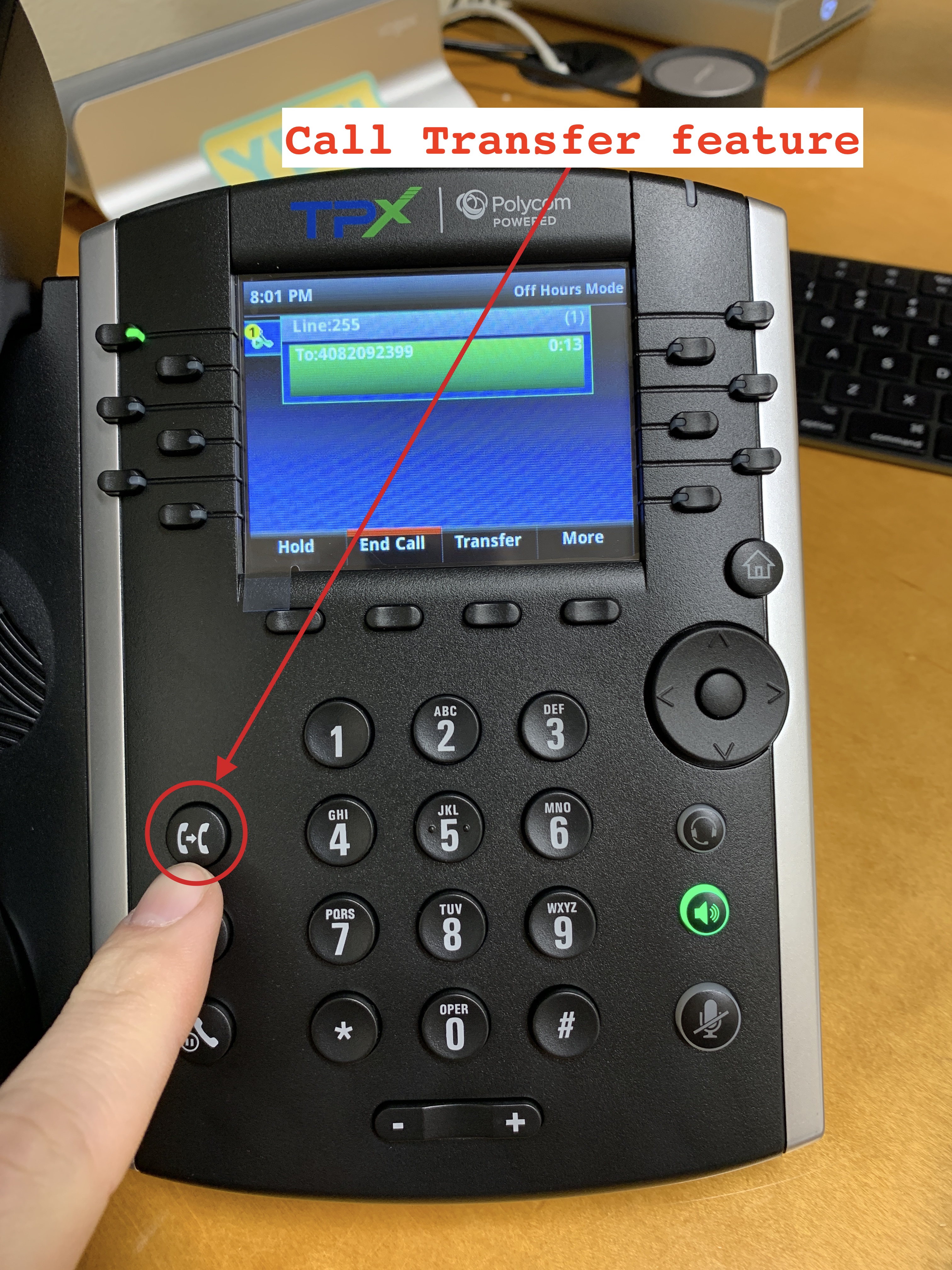
When selected, you'll have two options for a transfer
- Attended transfers work by depressing Transfer and entering an extension, announcing the call to the end user, Transfer button again (or Send) to send call to end user.
- A blind transfer allows you to send a call to an alternate extension or phone number without waiting for an answer or confirming the availability of the receiving party.
- During a call, press the Transfer button or the Trnsfer soft key (they do the same thing). Press Blind soft key
- Dial the desired number (it could be an extension or an outside line)
- Press the Send soft key (if you dial a 10 digit number, the call continues without having to press the Send soft key). The call is now transferred.
Comments
0 comments
Please sign in to leave a comment.