
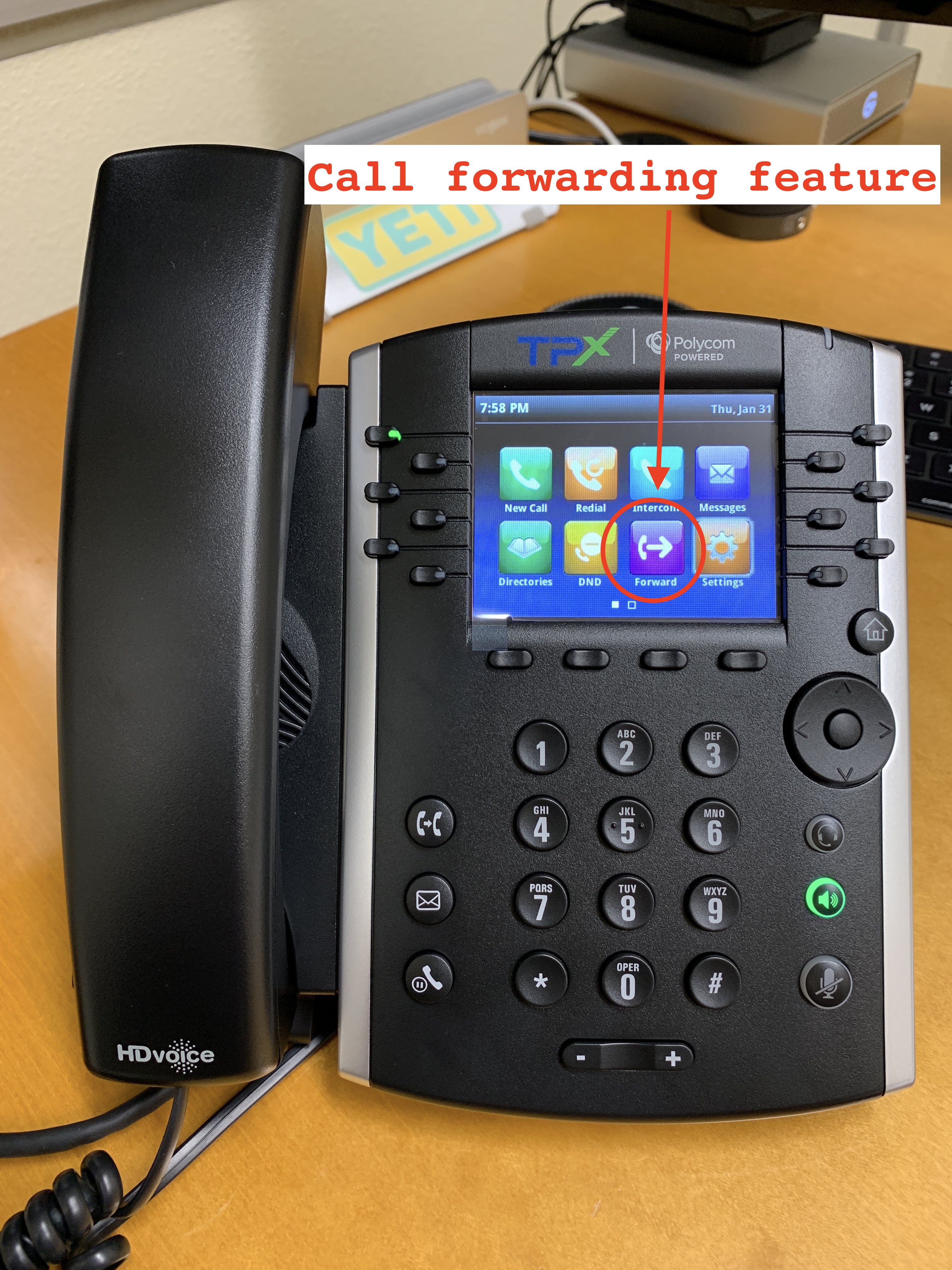
You can set your phone to forward incoming calls either to another extension, or to your cell phone.
- From Home view, select Forward.
- From the Forwarding Type Select screen, select the forwarding type you want:
- Always—To forward all incoming calls.
- No Answer—To forward all unanswered incoming calls.
- Busy—To forward calls that arrive when you’re already in a call.
- Enter the forwarding number, and select Enable. If you selected the No Answer option, you can enter the number of rings before your phone forwards the call. A value of 2 is recommended.
Comments
0 comments
Please sign in to leave a comment.