
A shared mailbox is a mailbox that multiple users can use to read and send email messages. Shared mailboxes can also be used to provide a common calendar. You must be added as a user on the account in order to sign into the shared mailbox.
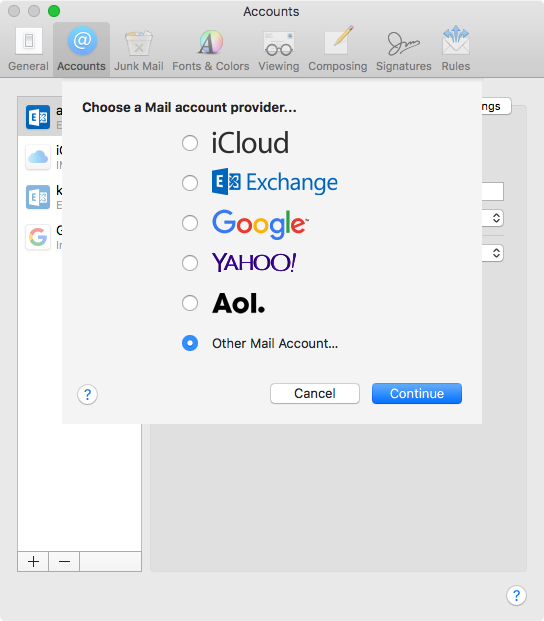
1. Click "+" to add a new account, and select "Other Mail Account..."
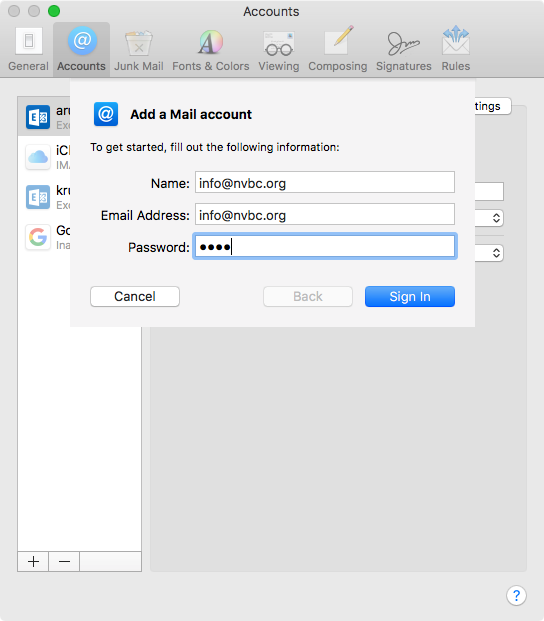
2. Populate the shared mailbox name and email address fields.
Enter any password and click "Sign In" to advance to the next step.
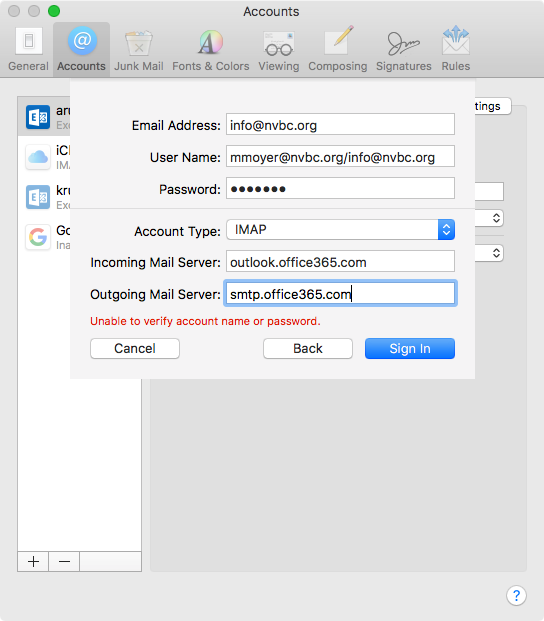
3. Finishing up
- Change the username to the following format:
- sharedmailbox@nvbc.org/youremailaddress@nvbc.org
- Enter your email password (what you use to access your staff email account)
- Incoming Mail Server:
- outlook.office365.com
- Outgoing Mail Server
- smtp.office365.com
- Click "Sign In"
Comments
0 comments
Please sign in to leave a comment.